01 / CAPTURE
First, out of your head.
A name on its own is enough to save it.
No date yet? It goes to Later.
A little room, on days with a lot on your mind.
Plans, tasks and the day you actually had.
Choose the step in front of you, and keep what you got done.
A planner and diary that moves at your pace.
Type it, say it, or photograph it — whichever suits you.
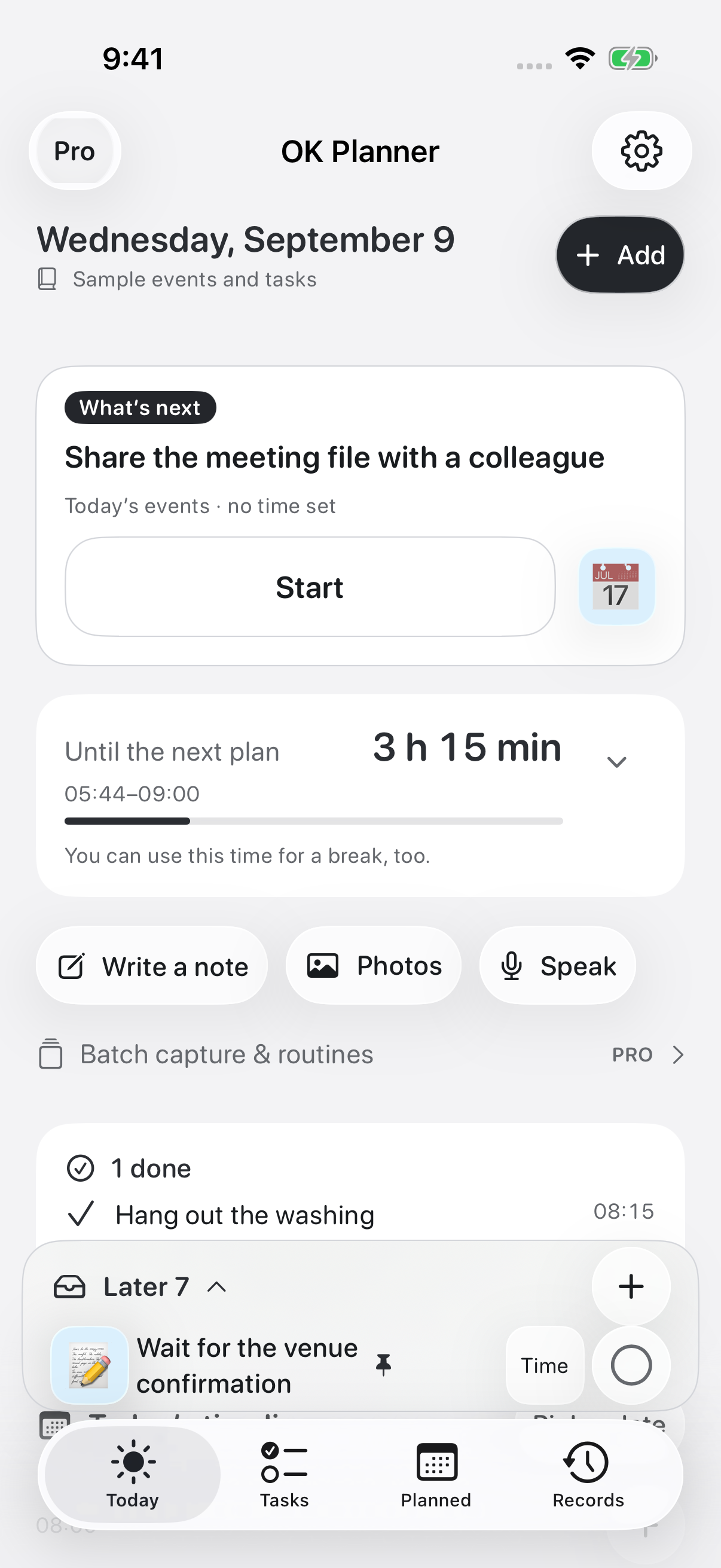
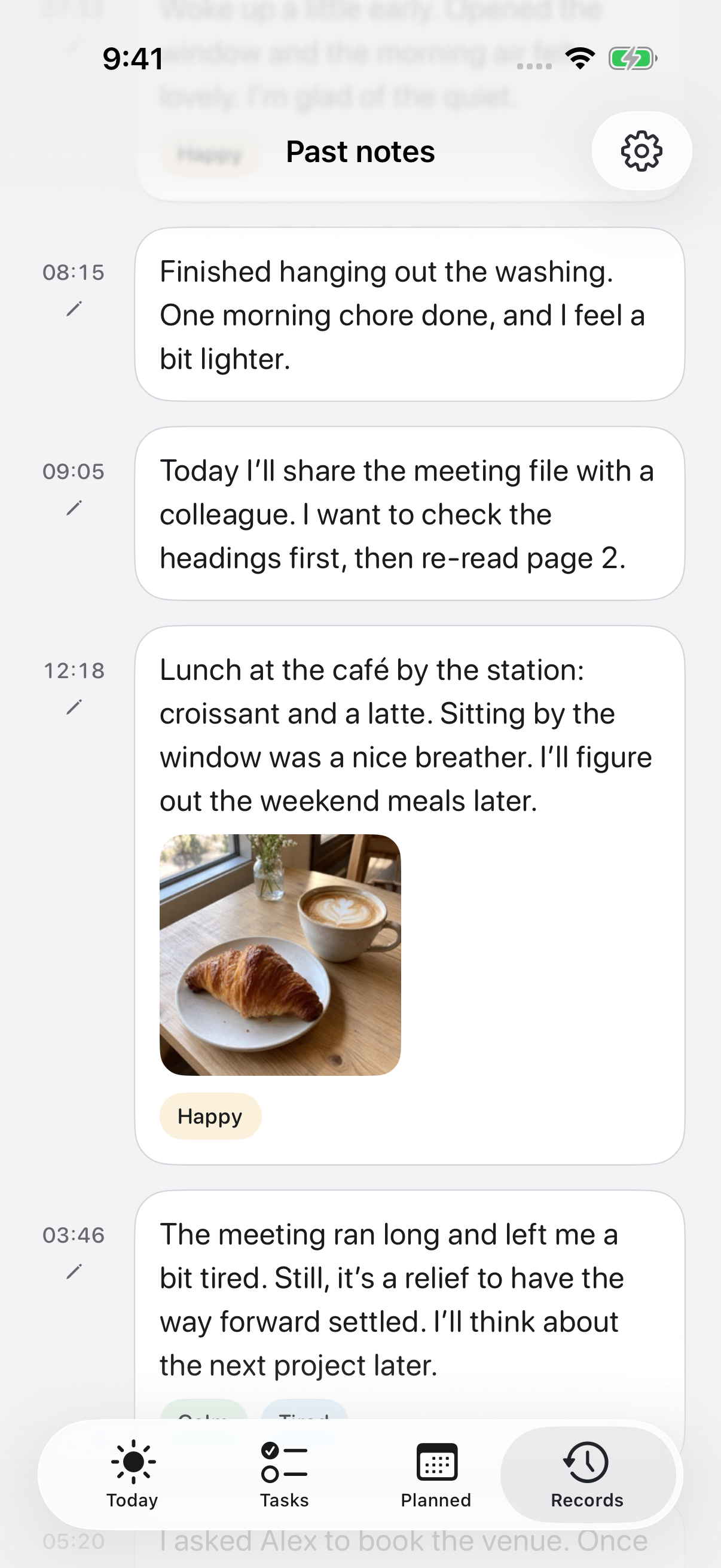
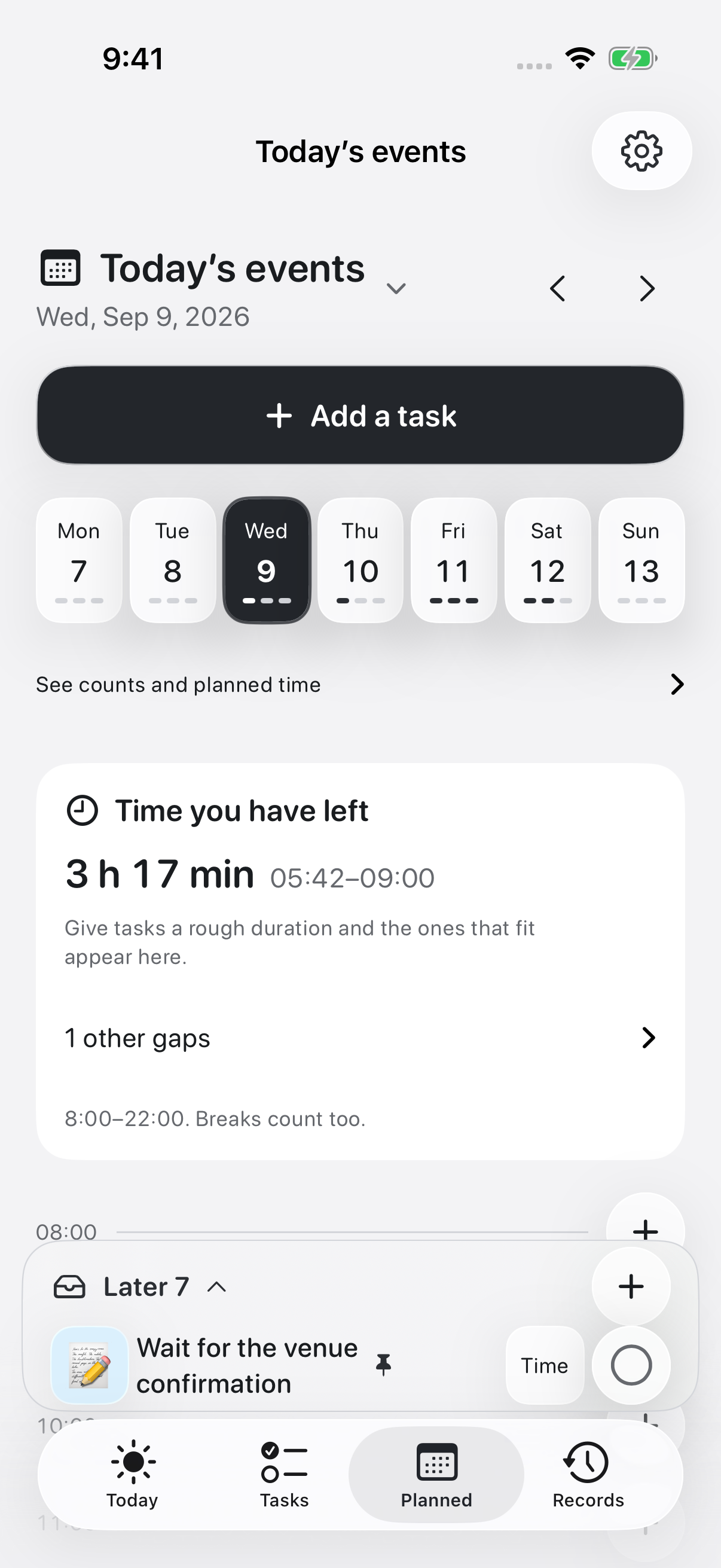
Scroll sideways for the other screens.
Rather than filling the day, leave yourself some room.
What OK Planner doesLESS TO HOLD. MORE ROOM TO BREATHE.
Put down what comes to mind. Look at the day. Start one thing.
The small daily “where do I even begin” — made simpler.
A name on its own is enough to save it.
No date yet? It goes to Later.
How much room sits between the things already booked.
Once you can see the time, the next step is easier to pick.
Put a short timer on the one you chose.
Even a big job can start from one small step.
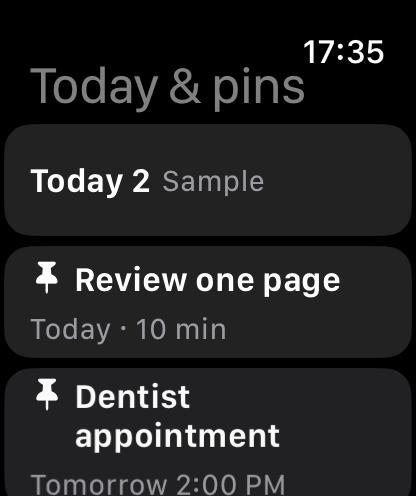
ON YOUR WRIST Pro
OK Planner is on Apple Watch too.
Today’s tasks, what you pinned, and what is waiting in Later.
There when you want to check.
Apple Watch support is a Pro feature. Turn sharing on in settings to use it. Marking things done needs a connection to your iPhone.
YOUR PACE IS A GOOD PACE.
Some days everything gets done. Some days it doesn’t.
Instead of counting what you missed,
keep the one thing you managed.
Resting, and leaving something half-finished,
are part of the day as well.
A CLOSER LOOK
On days you plan, and days you just want to remember something.
One app for both.
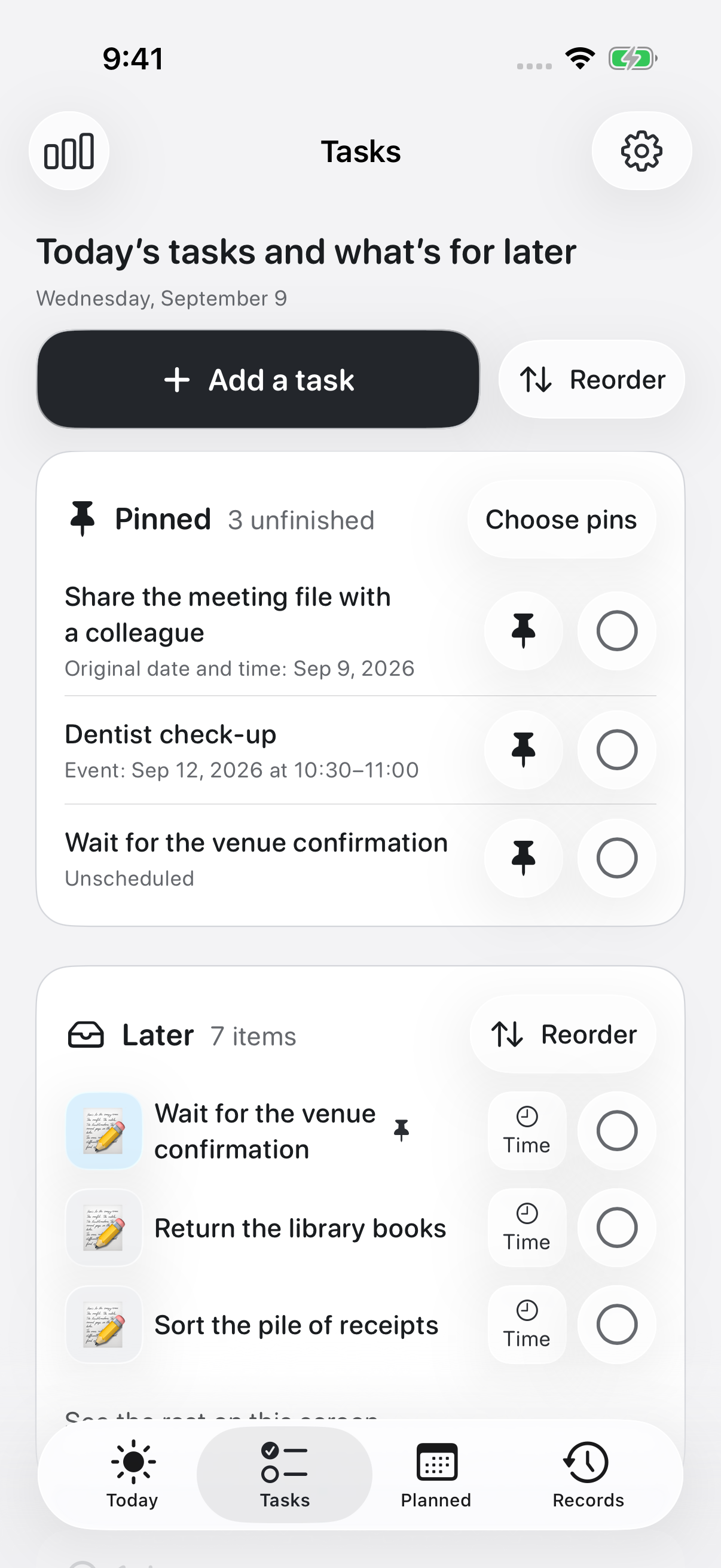
What you are doing today, and what is waiting.
Both in one place.
Typed, spoken, or a photo on its own.
An ordinary day, in your own words.
Real screens from the app, still in development.
Leave yourself a line about what comes next.
After a break, you return to the same task.
Up to six photos per entry.
And a feeling for the day, if you choose one.
Find older entries by date or by search.
The weekly look-back surfaces the small steps.
GOOD TO KNOW
Open only the ones you need.
It is built with ADHD and other neurodivergent readers in mind, and for anyone who finds it hard to pick a starting point when there is a lot on their mind. It shows one thing at a time, lets you stop and come back, and keeps the screen from filling up.
It does not diagnose or treat anything. How well it fits will vary from person to person.
That is fine. There are no streaks or completion rates on the home screen. Tasks without a date wait in Later, and anything half-finished keeps the note you left. Open it when you want to, at your own pace.
On supported devices, speech is turned into text and saved. Recognition happens on the device itself. Setting up the model for the first time may need a connection. Nothing you say creates a task or a reminder on its own.
It works alongside an iPhone. With Pro and Watch sharing turned on, you can see today’s tasks, pinned items and Later on your wrist. Marking things done from the Watch works when it can reach your iPhone.
Yes. Typed notes, speech turned into text, and photos are all kept as timestamped entries. A photo on its own is a valid entry. You pick the feeling tags yourself, and can read entries back by date or search. Records are stored on the device. Turning on iCloud sync yourself keeps them aligned across devices on the same Apple Account.
It is still in development ahead of release. It will require iPhone or iPad on iOS 26 or later. We will share the release date, pricing and the App Store link once it is ready.
A LITTLE STEP IS ENOUGH.
For the days you push on, and the days you rest.